Join, browse, order.
Pay your neighbour.
The whole thing in one page — what happens when you join, what selling looks like, how a society goes live, and who decides whether somebody really lives where they say they do.
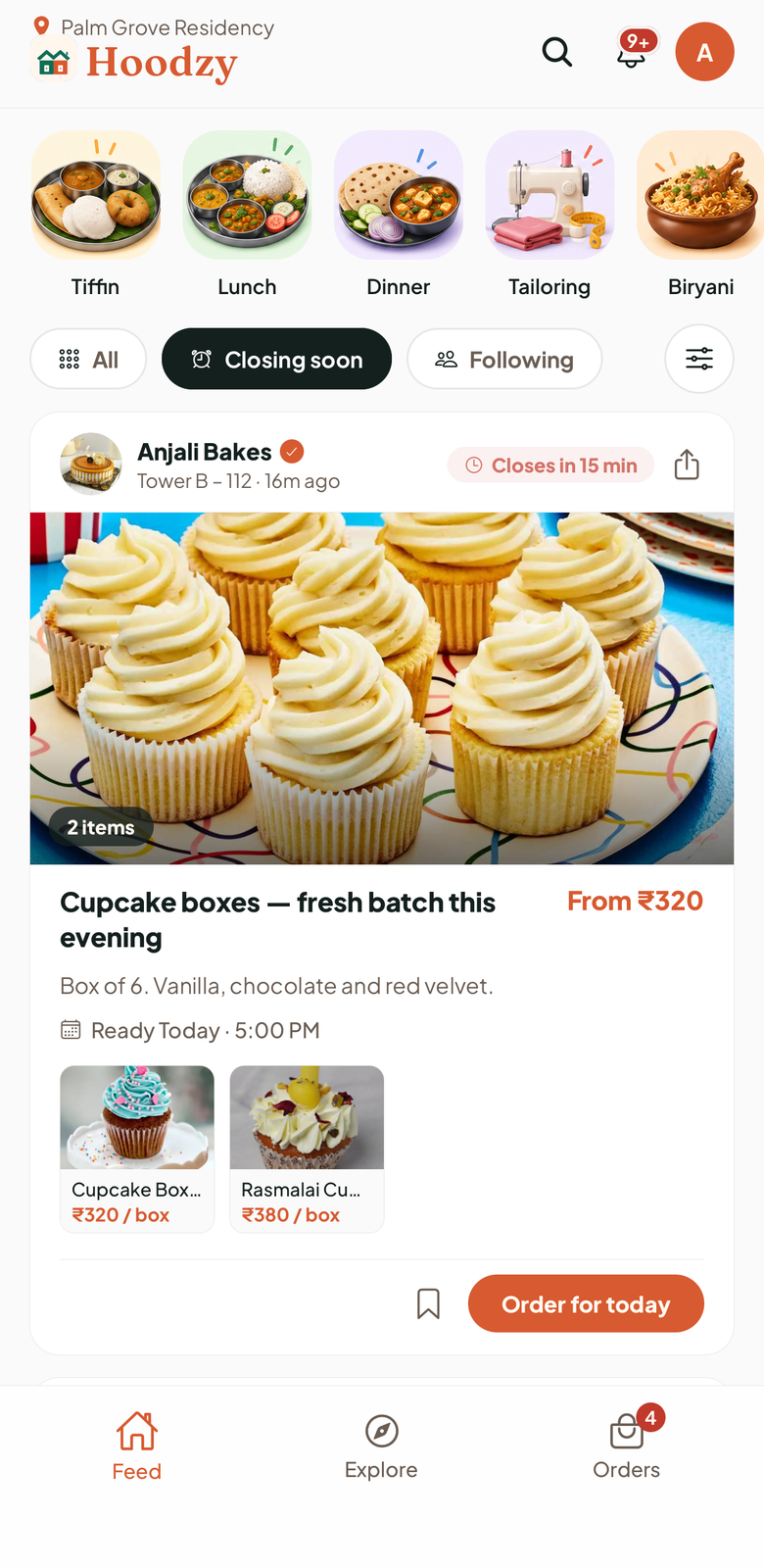
If you want to buy
- Sign inYour phone number, your society, your flat.
- BrowseMenus, posts and services from neighbours, in one feed.
- Order or bookTap Order now or Book now. Your neighbour accepts.
- Pay them directlyUPI or cash, marked paid in the app. Nothing goes through us.
Tomorrow's breakfast, the weekend biryani, blouse stitching, a maths class — all in one feed. Posts show when orders close; menus and services are there any day.
- Food and things to buy. Tap Order now, then pick home delivery or pickup from their flat. Delivery is the seller walking it over — Hoodzy has no delivery partners.
- Cakes, sweets and stitching. Choose the day you need it, up to 21 days ahead.
- Classes and visits. Tap Book now and send a request. Pick where — your home, theirs, online for classes, or somewhere like the clubhouse.
- Their number. It unlocks once the seller accepts. Pay before or after it arrives — that's between the two of you.
If you want to sell
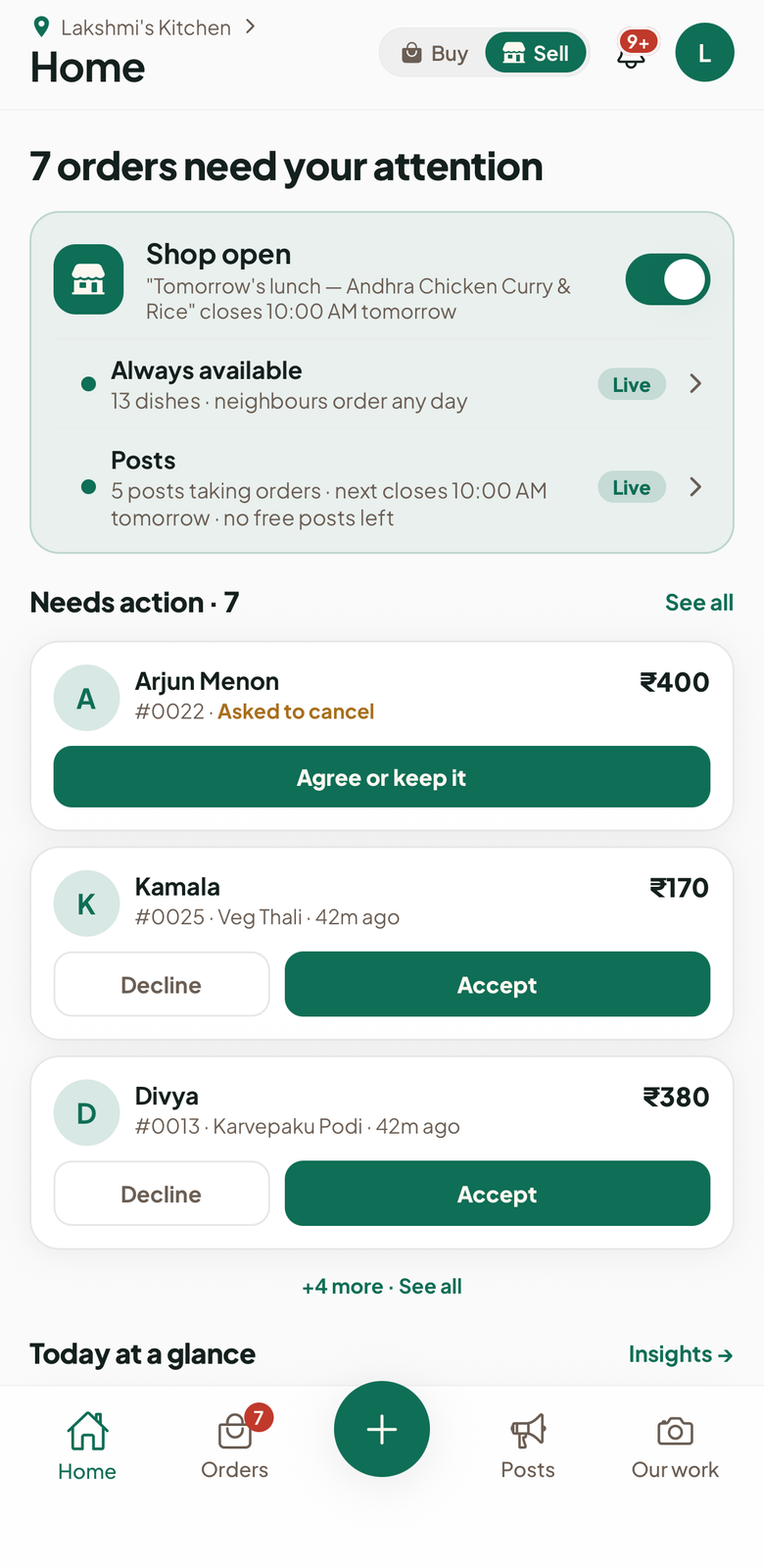
Set up in minutes from your phone — your name, a photo, what you make. One shop, two ways to sell:
- Always available. Your menu, products or services. Neighbours order any day.
- Posts. Take pre-orders until a set time ("Orders close 9 PM"). Say how many you can make; orders stop when they sell out.
₹120, From ₹600, or no set price — neighbours see "Talk to Meena for the price" and you agree it when you accept.
Ask for notice, like "Book 1 day ahead". For cakes, sweets and stitching, neighbours pick the day — up to 21 days ahead.
Every order waits for you to accept or decline. Fixed-price food and product pre-orders can be accepted automatically if you switch it on.
Neighbours pay you by UPI or cash. No commission, no fee.
How an order runs, by what you sell
- Neighbour taps Order now — from your menu any day, or a post before it closes
- Picks home delivery or pickup
- You Accept or Decline
- Delivered or Picked up
Their phone number shows once you accept.
- Neighbour taps Order now and picks the day they need it, up to 21 days ahead
- You Accept and give a ready time
- Delivered or Picked up
Their phone number shows once you accept.
- Neighbour taps Order now and picks the day
- You Accept and choose a ready day
- Ready to collect
- Done
Their phone number shows once you accept.
- Neighbour taps Book now and sends a request — where, and when suits them
- You Accept with a day and time, or fix it on a call
- Booked
- Done
Their phone number shows once you accept.
- Neighbour taps Book now — at your home or theirs, depending on the service
- You Accept with a time, or fix it on a call
- Booked
- Done
Their phone number shows once you accept.
- Neighbour taps Order now — and picks a size for clothes
- You Accept
- Delivered or Picked up
Their phone number shows once you accept.
When your shop opens
- 1Set up your shop and add items. It stays hidden for now.
- 2A Hoodzy Champ scans your QR code in person. A Champ is a volunteer neighbour. A neighbour Verified for a week or more can scan it too. Whoever scans must live in another flat.
- 3Your shop is open the same day. It shows a New seller badge at first — that just means you have recently started.
If a Champ confirmed you without meeting, your shop opens once you're Verified. The Hoodzy team can also open it.
The group vs the app, item by item
| WhatsApp group | Hoodzy | |
|---|---|---|
| Finding sellers | WhatsApp groupScroll 400 messages. Give up. Order pizza. | HoodzyEvery seller in your society, in one place |
| Just moved in? | WhatsApp groupThe best cook in your tower has been selling for 3 years — and you'll never know | HoodzyJoin & instantly see every seller, rating & menu |
| Being discovered | WhatsApp groupSeen by whoever was scrolling at 9:02, then buried | HoodzySearchable, followable, on the feed till orders close |
| Ordering | WhatsApp group"+1" in chat. Pray she scrolled up. | HoodzyOrder from the menu any day, or pre-order by the closing time — the seller accepts |
| Payments | WhatsApp group"Sent!" — no record, just good faith | HoodzyEvery order marked paid, UPI direct |
| Privacy | WhatsApp groupYour number — a gift to all 500 members | HoodzyNumber shared only after the seller accepts your order |
If you want Hoodzy in your society
Get the app and request your society from inside it. Societies go live based on how many neighbours are waiting — 10+ interested neighbours puts yours at the front of the queue — so the fastest way is to get a few more people to ask. RWA involvement is welcome but not required.
How your neighbours know you live here
This is the part most apps are vague about, so here it is plainly. You can buy as soon as you sign in. The Verified badge comes from your neighbours, in one of two ways:
A Champ may ring your flat on the intercom, check the society register, or meet you. Usually Verified 3 days after you joined — straight away if one more person confirms you too.
Days are what's usual today — they may change during the pilot.
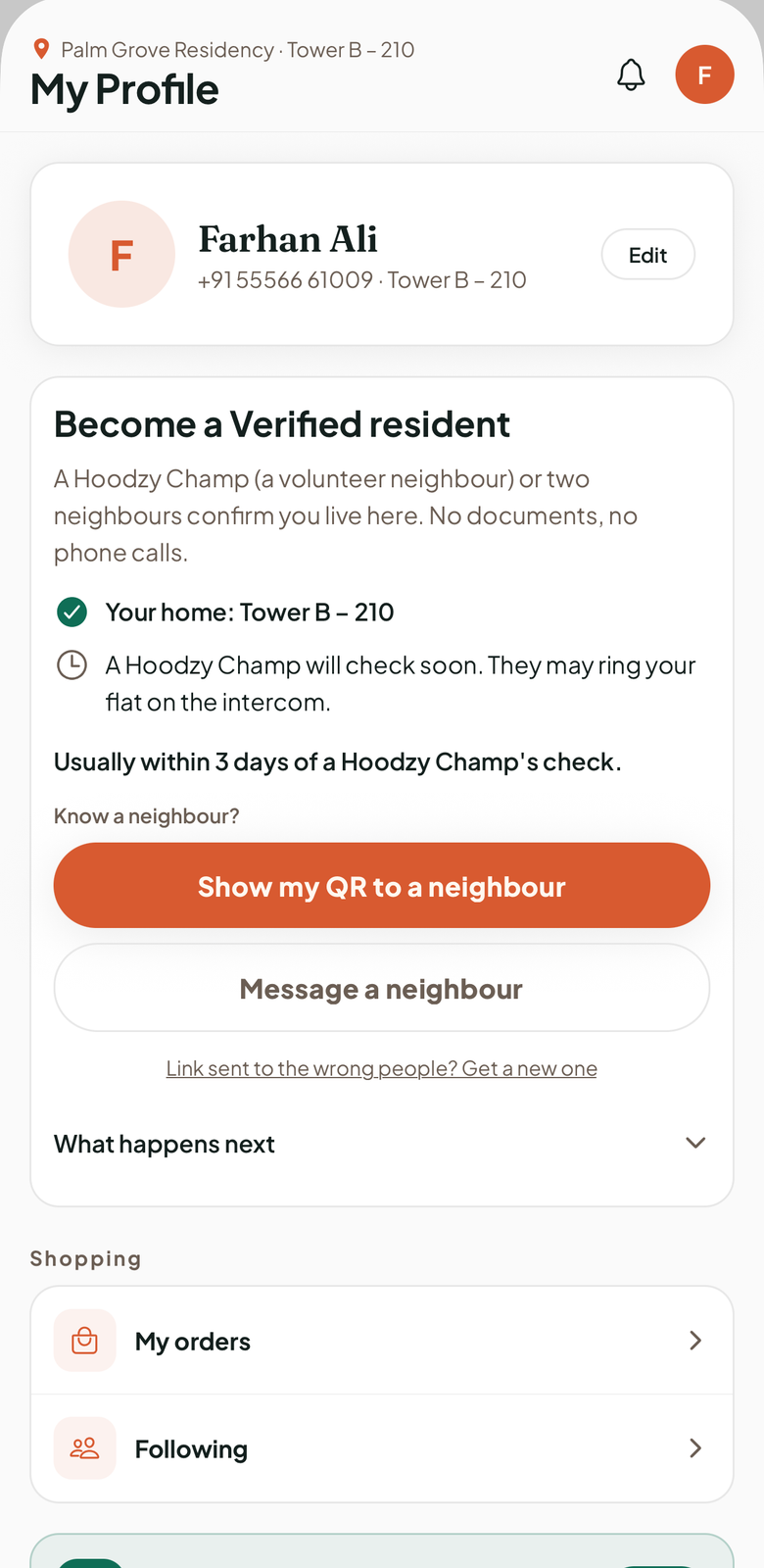
No Aadhaar, sale deed, ID uploads or screenshots. No phone numbers shared.
No fee, and orders don't count. Only neighbours can say you live here.
Someone from your own home can confirm you, but only one of them counts.
Phone confirmations earn the badge. A shop needs the in-person scan above — unless a Champ confirmed you, or the Hoodzy team opens it.
The Hoodzy team reviews it. In a new society, the team confirms the first residents and appoints the first Champs.
Tell us. Our team reviews it — nothing is removed automatically.
Sellers earn one more badge, Established seller: five orders neighbours received, from three Verified neighbours in three different flats, over at least two weeks. An order counts when the neighbour says Got it, or doesn't say Not received within a day.
One honest note: this is neighbours confirming each other, not a guarantee. We don't check papers, and a badge is not a promise from Hoodzy about anyone. If neighbours report someone for something serious, that puts an account on hold while our team looks into it.
What Hoodzy is — and isn't
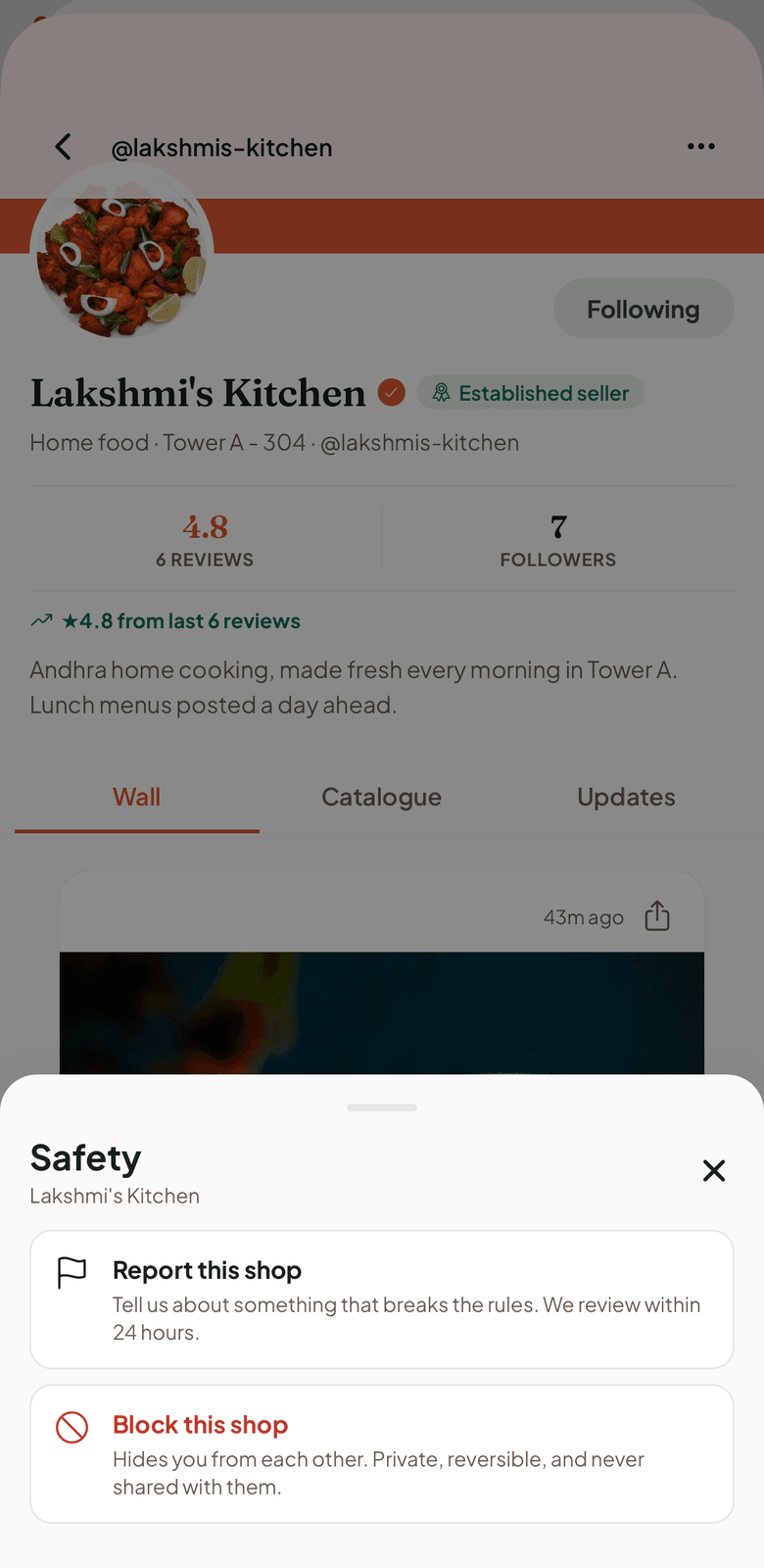
Hoodzy connects two neighbours — that's the whole job. Every order is between the buyer and the seller: your neighbour cooks it, stitches it or teaches it, and you pay them directly.
- Puts every seller in your society in one place.
- Lets both sides review the person they dealt with.
- Takes reports from a profile or an order — repeated complaints put an account on hold.
- Lets you block a neighbour: it hides you from each other, stays private, and can be undone.
- Hold your money. No wallet, no escrow — and no refunds from Hoodzy.
- Inspect kitchens or check stitching. Quality is the seller's promise to you, not ours.
- Settle returns or money matters. Those stay between the two of you, the way they always were.
The formal version of all this lives in the terms of service.
Your privacy
Your phone number is never on the feed. A seller sees it only after they accept your order, and you see theirs at the same moment — never before both sides have committed. We don't sell your data, and we don't take a cut of any order. Full detail is in the privacy policy.